Classwork Pickup

image of pickup truck

Students from Fall 2011 can pickup their classwork from N1127 on:

  • February 15th at 4:30pm
  • February 17th at 4:30pm

Grades

Please check your grade and let me know if you see any errors.

I will be submitting grades to the College 12/28/11 at 11am.

Visit me next semester (N1127) or contact me to retrieve your work.

Have a wonderful 2012!

Class 30 | Critique

Critique

  • Turn in your Color Harmony Freestudy
  • Present your three most successful projects from this class.

Homework

  • Join the ADGA department for the End of Year Celebration!
    • Dec. 21st 4-7:30pm in the new Welcome Center – 1st Floor
    • View the Senior portfolios
  • Have a great break!

Class 29 | Color Inventory

Discussion

  • Review Design & Color Vocabulary and Concepts
  • As we go through the review, add each vocabulary word to your Creative Process Book and include a small drawing or example that represents each Principle and Element.

Critique

  • Color Harmony Palettes: Analogous & Split Complementary
  • Color References for Proportional Inventory.

Lab

  • Proportional Inventory
    • Find a color reference (your favorite sweater, household object, advertisement, photograph, book cover, etc.)
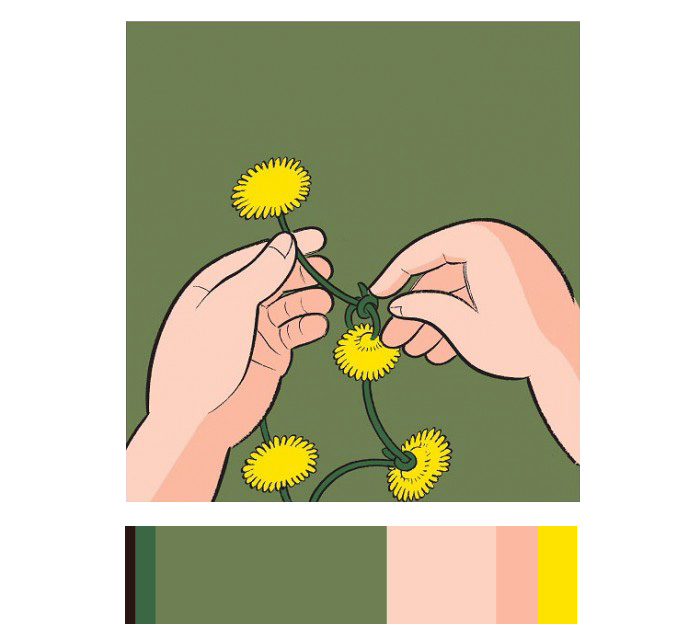
    • Create a color inventory palette that proportionally represents your color reference. If the 2/3′s of your reference is blue-violet with secondary hues of yellow and orange, then the palette should reflect this. EXAMPLE
    • If your reference has more than 6 parts, economize and limit the number of parts: max of 6, min of 3.
    • Here are few examples. See if you can see the color scheme in terms of proportions and how it’s used in the visual hierarchy:
  • Free-Study – Color Harmony
    • Using your Proportional Color Inventory create a 9×12″ or larger composition of your choice that demonstrates the concepts we covered in our Color Progression and Harmony Studies.
    • Your composition should use the exact proportion of hues chosen from your color reference with at least 1 color progression (tints, shades or hues)
    • As with previous free-studies, research, thumbnails, color tests, consideration of overall compositional balance between figure and ground, and unity is important! Because this is your LAST class project, see if you can utilize other aspects of the Basic Tenets of DESIGN that we have covered in this class.
    • Using any materials you like, create a composition that uses the PRINCIPLES and ELEMENTS of design to communicate your concept and to evoke your intended meaning.
    • Specifically your final Free Study should demonstrate: The Practice: Concept + Form are ingredients that a designer uses to produce a composition that communicates meaning. The relationship between the Concept (idea) and the Form (process/result) produces the Content (meaning).
      • Concept = WHAT? What do you want to communicate?
      • Form = HOW? How will you do it?
      • Content/Meaning = WHY? Why is it important?
      • Create 5-10 thumbnail sketches in your creative process book.

Homework

Bring to class:

  • Completed Proportional Inventory and Color Harmony Free-Study.
  • Your three most successful works created in this course for our final critique.
  • A sturdy portfolio to collect your past work.
  • Your Creative Process Book; review the section in Understanding Your Grade.

Class 28 | Color Harmony

Critique

  • Review Tonal Progression Studies: Digital Progressions (Tints, Shades, Complements), Painted Progression
  • Examine examples of harmonious color combination (your favorite sweater or household object, an advertisement, photograph, book, etc.)

Discussion

Color Harmony: Triadic Color System
A way to organize color based on a 12 step color wheel, wherein three colors are equally spaced from each other.

  • Primary Triad: primary colors, yellow, blue and red, form an equilateral triangle with yellow at the top
  • Secondary Triad: secondary colors, orange, green and violet, evenly spaced between the primaries are mixed from adjacent hues (example: red + yellow = orange)
  • Intermediate Triad: intermediate colors, yellow-green, blue-green, red-violet, etc. are mixtures of a primary color with a neighboring secondary color.

Color Harmony: Color Relationships
In a composition you may wish to have certain colors that are harmonious and share visual qualities (value, hue, saturation), and others may need to assert their independence and stand out. These would have less in common with the other colors in the palette and would create an accent or focal point. It’s important, when choosing a color scheme, to resist the temptation to use all colors in equal volume. Unequal proportions are more interesting and aesthetically pleasing.

  • Analogous: colors that are adjacent to each other on the color wheel (example: violet, blue-violet, red-violet). They have the shortest interval and the most harmonious relationship because three or four neighboring hues always contain a common color that dominates the group.
  • Complements: using colors opposite on the color wheel. This relationship often produces visual tension, shock, or electricity (as we observed in our color interaction studies). This is often the least harmonious color relationship. A palette using complements should be “harmonized” with variations in value and saturation. (example: red and green when reduced to chromatic grays soften the effect of simultaneous contrast).
  • Near-Complements: using a color and the color adjacent to its complement. This relationship softens the visual tension produced by using straight complements. (example: red and yellow-green)
  • Split-Complements: based on the triad system, using one color plus two colors on either side of its complement. (example: orange and blue-violet & blue-green). This color scheme adds more variety and an opportunity for a specific accent or focus, if used in unequal proportions.
  • Tetrads: based on a square, this relationship is formed when four colors equally spaced on the color wheel are used (example: green, blue, orange, red). This color relationship is more varied and can easily become un-harmonious without variation in value or saturation.

References:

LAB

Color Harmony Palettes (to be completed in class)

  1. Analogous Palette
    • Choose three colors that are adjacent to each other on the color wheel.
    • On a piece of bristol, create 3 interlocking forms using your chosen analogous colors.
    • You may choose to vary the saturation or value of one or more of your chosen hues by adding complement, white, or black.
    • For example:
  2. Split Complementary Palette
    • Choose three colors: one color plus two colors on either side of its complement on the color wheel.
    • On a piece of bristol, create 3 interlocking forms using your chosen split complementary colors.
    • You may choose to vary the saturation or value of one or more of your chosen hues by adding complement, white, or black.
    • For example:

Homework

Bring to class:

  • Finished Color Harmony Palettes and Forms: Analogous & Split Complementary
  • Finished Tonal Progression Studies: Digital Progressions (Tints, Shades, Complements) and Painted Progression Free-study
  • An example of harmonious color combination (your favorite sweater or household object, an advertisement, photograph, book, etc.)
  • Your full set of paints and any other materials you’d like to use

Class 27 | Tonal Progression

Critique

Discussion

Understanding Color Systems

Additive Model: The RGB model is used to reproduce the spectrum of visible light. A monitor transmits light in this way. It’s called the additive primary model because the absence of all light is black. To create different colors you must add levels of the primary colors (Red, Green and Blue).

Subtractive Model: The CMY model represents reflected light or the colors you see in printed inks, photographic dyes, and colored toner. CMY is called the subtractive primary model because full values of the primary colors (pure Cyan, Magenta and Yellow) produce black and in order to produce different colors you must reduce the levels of the primaries. The inks filter out certain colors of light while reflecting others. If the ink pigments were perfect, combining cyan, magenta and yellow would produce a pure black. However, the inks are not perfect so black ink (K) is also added in the printing process.

Color Gamut: Because CMYK represents a much smaller range of color than RGB it is impossible to reproduce all the colors that appear on your monitor. When you convert RGB to CMYK in order to reproduce the colors in print, many of the values will change.

Color Harmony: Tonal Progression

  • Grayscale: progression from black to white in the absence of hue
  • Shade: progression of a hue produced by the addition of black
  • Tint: progression of a hue produced by the addition of white
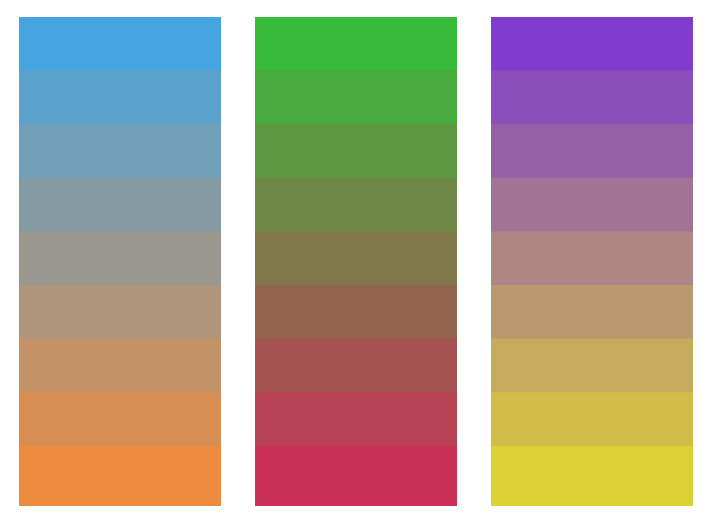
  • Complements: progression of a hue produced by the addition of its complement

References:

  • Color Harmonies- Interactive Tool

LAB

Digital Progressions:

In the computer lab, using the files provided, complete the following Progression Studies
* NOTE: It might be helpful to turn on Guides. View > Show > Guides

  • Shades (shades_progression.psd): In the PHOTOSHOP Layers Palette, turn down the arrow next to the Shades folder. Select the layer name Shade Step 1. Choose the Paint Bucket tool from the Tool Palette and double click on the Foreground Color Square (also in the Tool Palette). In the Color Picker, choose the Radio Button [B] and select a hue along the top edge of the color ramp. Click OK. Then apply the color with the Paint Bucket tool to the Shade Step 1 object. Repeat this process with each Shade Step layer, adding more black at each step. Your goal is to create 7 evenly graduated steps, based on your visual perception, not the computer’s measurement.
  • Tints (tints_progression.psd): In the PHOTOSHOP Layers Palette, hide the Shades Folder by clicking on the eye. Then turn down the arrow next to the Tints folder. Select the layer name Tint Step 1. Choose the Paint Bucket tool from the Tool Palette and double click on the Foreground Color Square (also in the Tool Palette). In the Color Picker, choose the Radio Button [S] and select a hue along the top edge of the color ramp. Click OK. Then apply the color with the Paint Bucket tool to the Tint Step 1 object. Repeat this process with each Tint Step layer, adding more white at each step. Your goal is to create 7 graduated steps.
  • Complements (complements_progression.ai): In ILLUSTRATOR choose the Selection Tool from the Tools Palette and Color Guide from the Window Menu. Click on one of the rectangles with the Selection Tool. In the Color Guide Palette, select Complementary from the pull-down menu and Show Tints/Shades from the little arrow in the upper right corner. Click on the Color Wheel icon in the lower right-hand corner to open the Live Color Palette. Click on the Edit button and then on the Segmented Color Wheel icon. Drag the circles around the color wheel, making sure you keep them equidistant from each other. Experiment with increasing and decreasing the percentage of black and white. Repeat this process for all three progression blends.
  • Save all files to your Flash Drive.

Painted Progressions in gouache:

Complements

  • Based on the digital studies above, choose two complementary paint colors. Create a progression from 1 color to its complement, for example: Yellow to Violet. Create a series of shapes of varying sizes on bristol. You will use scissors to cut out each shape, so don’t worry about making perfect edges in paint.
  • Mix the two colors in varying amounts, increasing and decreasing the saturation of the original color by adding more or less of the complement, until you have created at least 7 steps. Consult your color wheel to make sure you working with accurate complements (red-violet complements yellow-green, but not green).

Tints and Shades

  • Next create a Tint Progression with your chosen color. Starting with the fully saturated hue, create at least 7 steps to white.
  • Then create a Shade Progression with the complement color. Starting with the fully saturated hue, create at least 7 steps to black. You may use black for this exercise.

Final Composition

  • Once you have a full 9×12″ page of shapes, cut out each, assemble and glue a new composition on a fresh piece of bristol.
  • Your composition should demonstrate an obvious tonal progression from one color to its complement, as well as tint and shade progressions from the hue to white and the complement to black, respectively.
  • Experiment with creating a progression of proportions as well– such as a progression of shape (small to large) and interval (variety of space between shapes from broad and tight).

Homework

Bring to class:

  • Finished Painted Progressions (Tints, Shades and Complements). We will work on the final progression composition in class.
  • An example of harmonious color combination (your favorite sweater or household object, an advertisement, photograph, book, etc.)
  • Your full set of paints (buy more if you are running low), and related materials
  • Flashdrive or CD

Class 26 – Free Study Continued

Critique

  • Present your group Free-Study (in-progress)

LAB

Free-Study – Simultaneous Contrast

  • Continue work on Free-Study in class
  • Practice good time management. You will present your final work at the end of class.

GO To This Presentation:

ADC Club@CityTech welcomes Pentagram partner Eddie Opara.

When: Tuesday, Dec. 6th at 6pm

Where: Atrium Amphitheatre

Homework

Bring to class:

  • Your full set of paints (buy more if you are running low)
  • Flashdrive or CD

Class 25 | Color Interaction Free-Study

Critique

  • Present your Color Interaction Studies
    • 2 color study pairs will explore interactions by shifting hue, but not value.

LAB

Free-Study – Simultaneous Contrast

  • Working in groups of 2 or 3, design a 14”x17” or larger composition that demonstrates the concepts we covered in our Color Interaction Studies.
  • GOAL: Give a color at least two different identities throughout your compositions by exploring shifts in value, hue and temperature.
  • Using the color interaction pairings as guide, try to give specific colors at least two different identities throughout your compositions by exploring shifts in value, hue and temperature.
  • Use your own forms of expression and experiment with process. The final composition can take any form or utilize any medium you choose.
  • As with previous free-studies, research, thumbnails, color tests, consideration of overall compositional balance between figure and ground, unity, and communication of a clear concept or theme is important!
  • Divide up the project responsibilities. Each member of the group must physically create some part of the final composition.

Homework

Bring to class:

Class 24 | Color Interaction Continued

Critique/Discussion

  • REVIEW Color Interaction concepts.
  • Present your Color Interaction Studies: 2 Value Pairs (in full color)

LAB

Color Interaction Studies – Continued

NEXT INTERACTION STUDIES:

  • 2 color study pairs will explore interactions by shifting hue, but not value.
  • 2 color study pairs will explore interactions by shifting hue and value.

Process:

  • Using your center square color from the last study, attempt to make this one color appear as two by varying the surrounding color.
  • For the first pair, choose background hues that cause the center square to appear as if it’s a different hue. This may be subtle, but observable.
    • For example: the center square on the right appears reddish-violet when surrounded by green (complement of red) and the one on the left appears more bluish-violet when surrounded by orange (complement of blue). Notice the value doesn’t change.
      hue_interactions

      adjustments in hue

      hue_interactions_bw

      adjustments in hue

  • For the second pair, choose background colors that cause the center squares to appear as if they’re both different in hue and value.
    • For Example:the center square on the left appears both bluer and darker when surrounded by yellow-orange, than the one on the right,which appears lighter and more reddish, when surrounded by blue-green.
      Hue & Value Interactions

      Hue & Value Interactions

      Hue & Value Interactions

      Hue & Value Interactions

Homework

  • Complete 4 pairs of color interactions : 2 hue interactions, 2 hue and value interactions. (you may have to make several attempts)
  • Update: Complete just the first pair of color interactions: shifting hue, but not value.
  • Come prepared with painted color scraps and paints, brushes, etc. and anything you’d like to use to work on a color interaction free study. See Assignment #5 for details.

Class 23 | Color Interaction Continued

Materials

  • all gouache paints from Supply List
  • brushes, water containers, palette
  • ruler, t-square, exacto knife
  • pencils
  • 9×12″ bristol
  • glue

Critique:

  • REVIEW Color Interaction concepts from the last class.
  • Present your Color Interaction Studies: Achromatic Value pairs

Lab

Color Interaction Studies – Continued

NEXT INTERACTION STUDY: Value in Color
This color study will explore color interactions by shifting value in color.

Process:

  • Choose one hue as your small, center square color, preferably one that is in middle key. Try to work with this color for the remainder of your studies.
  • Attempt to make this one color appear as two by varying the surrounding color.
  • For each pair choose one background hue and adjust the value by adding white and/or complement.
  • For example:
    • In the first pair (blue) the value is altered by adding white to the left square and the complement to the right square. The center square appears darker on the left and lighter on the right.
    • In the second pair (yellow), the slightly muted yellow on the left and the chromatic gray on the right alter the perceived value of the center square.
    • Work with different surrounding hues, altering the perceived value at all levels of saturation (chromatic grays, muted and prismatic) until you achieve a perceptual difference between center squares. It’s interesting to notice how these two studies look in grayscale.

HOMEWORK

  • Complete your 2 pairs of color interactions making value adjustments in color (you may have to make several attempts)
  • Come prepared with painted color scraps and paints, brushes, etc for the next experiment.

Class 22 | Critique & Color Interaction

Materials

  • all gouache paints from Supply List or Reeves Color Set
  • brushes, water containers, palette
  • ruler, t-square, exacto knife
  • pencils
  • 9×12″ bristol
  • glue

Critique:

Today you will be using the rubric to assess your neighbor’s project. Put all Assignment #4 work on your desk (check to make sure you have all parts of the project). Using the rubric provided compare the Assignment #4 guidelines against the work your neighbor has presented.

  • Free-Study #1 (Combined Saturation with the Illusion of Space)
  • Free-Study #2 (Based on Ben Snead’s work)
  • Creative Process Book

Discussion/Lecture

Color Interaction

  • Simultaneous Contrast: When two colors come into contact, the contrast intensifies the difference between them.
    • Example #1: When a middle gray is surrounded by dark gray it appears lighter than when surrounded by a lighter gray.
    • Example #2: Yellow-green surrounded by green appears more yellow, but if surrounded by yellow appears more green.
    • Example #3: Complementary hues have the most striking effect– blue is most intense when seen next to orange.
    • Example #4: Gray or white next to a pure hue, like red, will cause the gray to take on its complement, green.
  • Complementary Colors and After Images: Afterimage is an optical effect that is induced from color combinations. If a color and a neutral gray placed side by side the gray will appear tinted with the complement. Due to the influence of afterimage, our brains try to balance the color with its complement.
    • Example: When we see a blue-violet circle on a green square, there is a small ring of red-violet at the intersection of the background and the circle. The reddish afterimage of the green is blended with the blue of the circle to create a red-violet illusion. If the same color is placed on a gray background, the circle appears bluer.
  • Optical Mixing: When a field of color is composed of small, disparate points of color, the mind fuses the colors into a comprehensible whole.
    • Example #1: Four-color printing process uses overlapping dot screens of Cyan, Magenta, Yellow and Black to produce a wide range of hues.
    • Example #2 : Digital imaging on the computer screen uses tiny pixels of color to produce gradations of hue.
    • Example #3: A mosaic or drawing uses tiny pieces of stone or drawn marks to create a field of color.

Josef Albers: The Interaction of Color

  • Josef Albers was a student of the Bauhaus in Germany and color educator at the Black Mountain College and Yale. His experiments in color relationships are used throughout the world in the study of design and color.
  • Classic experiments involved making one color appear as two by placing it next to different background colors.

References:

Lab

Assignment #5 : Color Interaction Pairings

  • Goal: Create a total of 8 paired interaction color studies, making 1 color appear as 2 different colors by changing its surrounding color. Each PAIR consists of 2 interactions for a total of 4 squares. The small square should be the same for each pair.
    • 2 pairs – achromatic gray studies will explore interactions by shifting value.
    • 2 pairs – color studies will explore interactions by shifting value (with color)
    • 2 pairs – color studies will explore interactions by shifting hue, but not value.
    • 2 pairs – color studies will explore interactions by shifting hue and value.
    • Extra Credit: 2 pairs – color studies will attempt to make two different colors look as a like as possible.
  • Limits: Using leftover and new color scraps from your previous saturation studies, make large squares 2×2″ and small squares 1/2 x 1/2″. The small squares will sit in the middle of the large squares and should be the same for each pair.
  • Process:
    • START with Value: Using achromatic grays (black and white gouache), vary the value of the large square to alter the perceived value of the small square. The small square should be the same value for each pair.
  • Refer to the Assignment #5 Guidelines for more info.

HOMEWORK

  • Complete 2 pairs of achromatic gray interactions (you may have to make several attempts)
  • Come prepared with painted color scraps and paints, brushes, etc.
  • REwork Saturation Free Studies #1 & #2, based on a critique.

Class 21 | Field Trip

Materials Needed

  • Sketchbook, pencils
  • Camera or camera-phone

Discussion :

Review:

The Principles: basic assumptions that guide the design practice.

  • Balance: The concept of visual equilibrium. Most compositions achieve balance in one of two ways: symmetrically or asymmetrically.
    • Symmetrical balance: can occur in any orientation as long as the image is the same (weight, form) on either side of the central axis. The result is formal, organized and orderly, but it is easy to over emphasize the center axis. Symmetrical images have a strong sense of unity, because at least half of the image is repeated. At the same time sometimes symmetrical balance can lack variety.
    •  Asymmetrical balance: Asymmetry means without symmetry. It is possible to achieve balance without symmetry. It requires placement of objects in a way that will allow objects of varying “visual weight” to balance one another around a fulcrum point. Imagine several small objects balanced by a large object on a scale.
    • EXAMPLES:

Field Trip

We are going to the A Station at Jay Street-Borough Hall where artist Ben Snead has a permanent glass mosaic and ceramic tile artwork called Departures and Arrivals.

From the MTA website:

The intricate play of nature is the theme of Ben Snead’s mosaic and tile artwork, which fills the south mezzanine with bold color and intricate patterns along a specially designed 103 foot-long curved wall. The work exhibits the artist’s interest in natural species and ways of arranging them in systems and patterns that highlight the connections and relationships between dissimilar species.

The artwork – created in glass mosaic based on Snead’s original paintings – features species that have migrated to Brooklyn as well as one species that is departing. He arranges the species in layers that can be seen from left to right: European starling (originally from England), a house sparrow (Europe), Red Lion fish (Indian Ocean), Monk parrot (South America) and Koi (Japan). The Tiger Beetle is represented on a tile background; a local species that is in decline. The result is a bold and graphic set of images that intrigue and delight passersby during their own departures and arrivals.

Ben Snead References:

Free-Study #2 – Ben Snead, Departures and Arrivals

Using any materials you like, create a Free-Study based on our field trip to see Ben Snead’s pubic subway mosaic work called Departures and Arrivals. Your composition should reference the content, symmetry, saturation, and graphic, diagrammatic style demonstrated in the glass mosaic and ceramic tile artwork at the A Station at Jay Street-Borough Hall.

Research / Inspiration

After visiting Ben’s pubic subway mosaic work called Departures and Arrivals, answer the following in your CPB:

  1. What inspires Ben’s work?
  2. What role does Symmetry and Pattern play in his work?
  3. Observe the hues, value, and saturation, what is the range of each?
  4. How would you describe the style of the work? What does it remind you of?
  5. Does the layering and position of the different birds, fish and insects have any significance?
  6. Is their any connection between the different species?
  7. Any other questions you have or observations you’ve made….

Experimentation / Iteration

In your CPB take some time to think about how you can use Departures and Arrivals as an inspiration for your own composition. Create at least 10 quick thumbnails to “think” out some ideas. Remember to always consider the figure-ground relationship, economy, and unity.

Final Composition

  • Your final work should be a minimum of 9×12″ in any medium you like, but it should reference the content, symmetry, saturation, and graphic, diagrammatic style demonstrated in Ben’s glass mosaic and ceramic tile artwork.

Homework

  • Assignment #4 Free-Study #2 / Ben Snead’s Departures and Arrivals.: Using any materials you like, create a Free-Study based on Ben’s work. Your composition should reference the content, symmetry, saturation, and graphic – diagrammatic style of Departures and Arrivals. (see instructions above)
  • CPB’s will be reviewed for Assignment #4. (See Assignment #4 page for details.)


Class 20 | Free Studies

Materials Needed

  • all gouache paints from Supply List
  • brushes, water containers, palette
  • ruler, t-square, exacto knife
  • pencils
  • 9×12″ bristol
  • glue
  • scraps (paper, photos, magazine images, fabric, candy wrappers, sandpaper, wrapping paper, etc. ) that have a broad range of value, saturation, and hue.
  • Flash drive or CD

Critique:

All Color Studies.

Discussion / Lab :

Saturation and the Illusion of Space

Spacial depth can be created with contrasts in saturation (chromatic gray, muted, prismatic color), color temperature (cool/warm) and of course, value (light/dark).

  • Temperature: Cool colors (blue/violet) recede, warm colors (orange/yellow) come forward
  • Saturation: Chromatic grays and muted colors recede, prismatic colors come forward.
  • Value: Dark colors recede, light colors come forward.

Free Studies: Combined Saturation

  • Using your box-o-scraps and/or gouache paint create a 9×12 or larger composition of your choice that demonstrates the concepts we covered in our Saturation Studies
    • Chromatic gray
    • Muted color
    • Prismatic color
    • Narrow Value (High-Key or Low-Key) or Broad Value
  • Explore how Saturation and Value can be used to show spatial depth: one element in your composition must be considered a focal point and should be emphasized through the use of saturation and value contrasts.
  • Use your own concepts and forms of expression and experiment with process: collage, stippling, tearing, cutting, direct painting, taping, stenciling, blotting, etc.
  • You composition should also demonstrate a well-considered figure-ground relationship, unity, and economy.

Homework:

  • Complete your Free Studies assignment or create a second. Be prepared to turn in ALL Saturation Studies work (READ Assignment #4)
  • We MAY take a field trip next class. BE HERE ON TIME!

Class 19 | Prismatic Color

Critique:

  • Chromatic Gray Studies #1 & #2
  • Muted Color Studies #1 & #2

Discussion

Review Color Concepts (Class 16)

Prismatic Color Studies:

  • These colors are as pure a hue as possible using paints. Essentially these are hues that are straight from the tube. Please work with primary (red, yellow, blue) and secondary (orange, violet, and green) hues and their nearest neighbors (red-orange, yellow-orange, yellow-green, blue-green, blue-violet, red-violet). Do not use browns, blacks, grays or white.
  • The value of your prismatic colors is determined by its place on the color wheel not by adding darks or whites. Squint your eyes and look at the color wheel. The lightest colors are yellows, the darkest colors are violets. A prismatic study in high key will be created with yellows. A prismatic study in low key will be created with violets.

Prismatic Color Studies – Exercise #1:

  • Make a 6×6″ gouache, painted-paper collage using at least six shapes. All colors should be PRISMATIC with a BROAD value range (light and dark) from a BROAD range of hues (colors). The entire surface of your composition should be covered with paint.
  • Use scrap pieces of bristol to create your painted paper shapes. Cut these out with scissors or exacto knife.
  • Arrange your shapes until you achieve a unified composition and then carefully glue down your pieces.

Prismatic Color Studies – Exercise #2:

  • Make second 6×6″ gouache, painted-paper collage using at least six shapes. All colors should be PRISMATIC with a NARROW value range (high or low key).  This means you will either create a composition with prismatic yellows (high) or prismatic violets (low). The entire surface of your composition should be covered with paint.
  • Use scrap pieces of bristol to create your painted paper shapes. Cut these out with scissors or exacto knife.
  • Arrange your shapes until you achieve a unified composition and then carefully glue down your pieces.

Homework

  1. Finish ALL Saturation Studies:
    Make sure each composition is neatly mounted and protected with tracing paper or clean drawing paper.

    • Chromatic Gray Studies #1 & #2
    • Muted Color Studies #1 & #2
    • Prismatic Color Studies #1 & #2
  2. Come PREPARED to work in class on the Freestudy #1  (see Assignment #4 – Section 3)
    Bring in a library of materials  (paper, photos, magazine images, fabric, candy wrappers, sandpaper, wrapping paper, etc. ) that have a broad range of value, saturation, and hue.  Bring enough “stuff” to fill a shoe box. Come prepared to explain the value, saturation, and hue of each scrap.
  3. Materials: same as this week, plus scrap box!

Class 18 | Muted Color Studies

Materials Needed

  • all gouache paints from Supply List
  • brushes, water containers, palette
  • ruler, t-square, exacto knife
  • pencils
  • 9×12″ bristol
  • Flashdrive or CD with your digital painting

Lecture

REVIEW

  • Color Concepts and Vocabulary (See Classes 16 and 17)

Critique

Chromatic Gray Studies #1 & #2

Lab

Muted Color Studies PREP:

  • Prepare 2 pieces of 9×12″ bristol by defining a 6×6″ square on each using your pencil and ruler.
  • Muted colors, which range from just outside the Prismatic zone to the most saturated Chromatic Grays, are created by adding a chromatic dark, complementary color, or white to a prismatic color.
  • You may have some tests from the last study that may have been too saturated to fit into the Chromatic Gray category-  feel free to use them for this study.

Muted Color Studies – Exercise #1:

  • Make a 6×6″ gouache, painted-paper collage using at least six shapes. All colors should be MUTED with a BROAD value range (light and dark) from a BROAD range of hues (colors). The white paper is not considered a color – the entire surface should be covered with paint.
  • Use scrap pieces of bristol to create your painted paper shapes. Cut these out with scissors or exacto knife.
  • Starting with a Prismatic Color (paint straight from the tube) add either the complementary color, white, or pre-mixed chromatic darks to achieve your range of muted colors. Adding white will create a lighter value, adding a pre-mixed chromatic dark or complementary color will create darker value.
  • Arrange your shapes until you achieve a unified composition and then carefully glue down your pieces.

Muted Color Studies – Exercise #2:

  • Make second 6×6″ gouache, painted-paper collage using at least six shapes. All colors should be MUTED with a NARROW value range (high, middle, or low key) from a broad range of hues (colors). The white paper is not considered a color – the entire surface should be covered with paint.
  • IMPORTANT NOTES:
    • Yellow and its adjacent hues can be used to create high-key muted color compositions. They cannot be darkened enough to reach low-key without losing saturation and becoming Chromatic Grays.
    • Conversely, violet and its adjacent hues can not be lightened enough to reach the high-key value range without becoming Chromatic Grays.
    • Violet, Blue and Green can be used to create low-key muted colors compositions.

HINTS:

  • To prevent streaking, thoroughly mix paint before use, only adding enough water to get the consistency of cream.
  • Wash and dry your brush on a paper towel after each use.
  • At the end of  your painting session, paint out any extra paint onto scrap bristol for future use.
  • Use the technique demonstrated in class for gluing down your painted bristol shapes.

HOMEWORK

  • Finish Muted Color Studies #1 & #2

Class 17 | Chromatic Gray Color Studies

Materials Needed

  • all gouache paints from Supply List or Color Set
  • brushes
  • ruler
  • t-square
  • pencils
  • 9×12″ bristol

Critique

  • Color Triad FreeStudy

Lecture

REVIEW

  • Color Concepts and Vocabulary from last class
  • Chromatic Gray: Grays that exhibit a subtle, but discernible hue, created by adding larger amounts white, chromatic darks, or a complement of a hue.
  • Chromatic Darks : These are premixed jars of base grays using Ultramarine Blue and Raw Umber.

Lab

Chromatic Gray Studies

  • Prep:
    • Mix together two containers or wells of chromatic darks using Ultramarine Blue and Raw Umber. One will be Warm and Brownish (more umber than blue) and one will be Cool and Blueish (more blue than umber). These will serve as your stock mixtures in order easily create a variety of Chromatic Grays by mixing with pure hues.
    • Prepare 2 pieces of 9×12″ bristol by defining a 6×6″ square on each using your pencil and ruler. This will be used for presentation only. You are making collages, so paint on scraps of bristol first, arrange, and then assemble/glue down.
  • Exercise #1:
    • GOAL: Make a 6×6″ gouache, painted-paper collage using at least six shapes. All colors should be chromatic gray with a BROAD value range (light and dark) from a BROAD range of hues (colors). The white paper is not considered a color – the entire surface should be covered with paint.
    • Use scrap pieces of bristol to create your painted paper shapes. Cut these out with scissors or exacto knife and assemble into a composition.
    • Starting with a very small amount of a Prismatic Color (paint straight from the tube) add either the complementary color or white to achieve your range of chromatic grays. Adding white will create lighter value grays, adding complementary colors will create darker value grays.
    • The grays should have a discernible hue, but should lie closer to the center of the saturation spectrum (achromatic gray) than the outside (prismatic color).

    Exercise #2:

    • GOAL: Make second 6×6″ gouache, painted-paper collage using at least six shapes. All colors should be chromatic gray with a NARROW value range (high, middle, or low key) from a broad range of hues (colors). The white paper is not considered a color – the entire surface should be covered with paint.

    Mounting/Presentation

    • Arrange your shapes until you achieve unified compositions and then carefully glue down both compositions #1 & #2 on a clean, fresh piece of 11×14″ bristol. Pay close attention to margins, craft, and cleanliness.

    HINTS:

  • High-key Example: To create a chromatic gray in high-key with a subtle hue of yellow, take white and add a tiny amount of Lemon Yellow
  • Low-Key Example: To create a chromatic gray in low-key with a subtle hue of red-violet, mix a red-violet together with yellow-green.
  • Painting Tips: To prevent streaking, thoroughly mix paint before use, only adding enough water to get the consistency of cream/yogurt. Paint should be flat and opaque. No paper should show through.
  • At the end of  your painting session, paint out any extra paint onto scrap bristol for future use.

HOMEWORK

  • Finish Chromatic Gray Studies #1 & #2
  • Finished Studies should be cleanly and professionally presented- mounted on bristol.

Class 16 | Color : Basics

Materials Needed

  • gouache paints from Supply List
  • brushes
  • ruler
  • t-square
  • pencils
  • 9×12″ bristol

Lecture

The Elements: basic components used as part of any composition, independent of the medium.

Color

  • Hue: Designates the common name of a color, determined by the specific wavelength of a ray of light and/or its position in the spectrum or color wheel.
  • Saturation: Refers to the relative purity of a color or its inherent light.
    Levels of Saturation

    • Prismatic Color: As pure a hue as possible with pigments/paint.
    • Muted Color: Colors that lie just outside the prismatic zone, created by adding black, white, gray or a complement of a hue.
    • Chromatic Gray: Grays that exhibit a subtle, but discernible hue, created by adding larger amounts black, white, gray or a complement of a hue.
    • Achromatic Gray: Grays that lack a perceptible hue and saturation.
  • Luminosity: Refers to Value; lighter colors are more luminous than darker colors, but a lighter color is not necessarily more saturated.
  • Primary Color Triad: Red, Yellow, Blue – three colors that cannot be created from mixtures of hue and when mixed in equal or unequal amounts can produce all possible colors.
  • Secondary Color Triad:Orange, Green, Violet – colors created by mixing equal proportions of any two Primary Colors.
    • orange  (mix red + yellow)
    • green   (mix yellow + blue)
    • violet    (mix blue + red)
  • Complementary Colors: Colors opposite on the color wheel
    • red and green
    • yellow and violet
    • blue and orange.

Lab

Exploration

Color Triads (FreeStudy)

  • Using your ruler, lightly draw two intersecting triangles on a piece of 9″x12″ bristol.
  • With your color wheel as a guide, practice mixing and applying colors on a piece of scrap paper, first. Make sure you have achieved the proper hue before applying the paint to paper.
  • Then fill in the tips of each triangle with the primary and secondary triads. Do NOT use pre-mixed paint hues. You must mix secondary triads from the primary triad: Red, Yellow and Blue.
  • Once you have successfully created the two triad relationships (primary and secondary), further develop your composition and create a FreeStudy!
    • Think about what each color might represent: mood, emotion, object.
    • Experiment with mixing all three primary colors together, what color is produced?
    • What happens when you mix two complementary colors together?
  • You may choose to cut out the color swatches and incorporate them with other materials, but make sure your final composition is laid out with a clear connection to the original triads and their placement on the color wheel.
  • References:

HOMEWORK

  • Finish Color Triad FreeStudy
  • Materials Needed: Same as today!

Class 15 | Presentation + Digital

Lab

Materials Needed:

  • 14×17″ bristol, glue stick, ruler, t-square
  • thumbdrive, CD

Assignment #3: Paintings Part 1: Mounting for Presentation
(1 hour)

  • With a ruler and exacto knife (or small, sharp scissors), carefully cut out each of your painted squares. As you cut, make sure to label the back and top. These should correspond to your original photo-collage.
  • Using a 11×17″ piece of bristol, layout your two paintings (or painting & collage — depending on quality) on the same piece of paper. Measure margins and gutter for each using your ruler and t-square. USE A HARD PENCIL – MARKS SHOULD BE VERY LIGHT AND ERASABLE.
  • Very carefully glue each square down using a thin layer of glue and with a clean piece of sketchbook paper press the square down firmly.
  • Have a damp rag available to clean off your hands as you work. Do not let glue touch your paintings- gouache is not forgiving.
  • On another piece of bristol, repeat the process above and mount your photo-collage pieces (or second painting & collage — depending on quality). If your  photo-collages are mangled and messy, reprint, cut and mount the pieces.
  • Turn in both compositions next class.

Assignment #3: Paintings Part 2: PREP
(1 hour)

Goal: Create a Narrow Value Range composition that produces RHYTHM/REPETITION,  a sense of MOVEMENT, a clear understanding of changes in VALUE from white to black, and an understanding of EMPHASIS and VISUAL HIERARCHY.

  • Download the archive of hi-res photos (see Assignment #3)
  • Open your photo-portrait file in Photoshop, and choose Image > Adjustments > Posterize. Set the Levels between 5 and 9.
  • Next: Create a new file: 11″x8.5″, 300 pixels per inch, grayscale.
  • Save your file with your first initial and last name and the project title:
    For example: jsmith_value_added.psd
  • Using the rectangle marque tool:
    • set feather to 10px
    • style to Fixed Ratio 1 to 1
    • select portions of your original photo portrait and copy and paste them into the new document.
  • Vary the SCALE of your square selections in order to create a Narrow Value Range composition that produces RHYTHM/REPETITION,  a sense of MOVEMENT, a clear understanding of changes in VALUE from white to black, and an understanding of EMPHASIS and VISUAL HIERARCHY.
  • Use layers and the Transform Tool (Command T) to rotate and rearrange your “collage” pieces.
  • Save frequently!!
  • If your file begins to grow to large (over 50MG), select and merge layers as appropriate to reduce the file size.
  • Save your files to your thumbdrive, CD or use a free file sharing service like 4Shared.
  • DO NOT USE OTHER FILTERS, COLOR, OR ANY OTHER TRANSFORMATION TOOLS.
  • Use one of the following labs to complete and print your digital composition:
    • Learning Center Lab
      Atrium Ground Floor (AG 18)
    • Student Labs
      General Building 600
    • ADGA open labs
      (check with the office in N1113 for times)
    • Additional Labs and Hours

Homework

ALL PARTS OF ASSIGNMENT #3 ARE DUE!

Material Needed Next Class — COLOR!:

  • all gouache paints from Supply List
  • brushes and all painting supplies
  • ruler, t-square
  • pencils
  • 9×12″ bristol

Class 14 | Work Class

Critique

Students will present BOTH completed collages to the class.

  • (1) Narrow Value Range: either high-key or low-key
  • (1) Broad Value Range
Turn in your Friday class independent work for credit.

Lab

Materials Needed:

  • black and white gouache, 9×12″ bristol, palette, water containers, rag, brushes, portrait collages

Assignment #3: Paintings

Once collage compositions are critiqued and approved, work on your paintings (Broad and Narrow Value composition)

  • On a piece of clean, 9×12″ bristol trace or measure the dimensions of your collage squares from the exercise above. Depending on the size of your compositions- one composition per 9×12″ bristol will be best.
  • Using your Value Scale as a guide, recreate (in gouache paint) each photographic square using a range of black, white, and gray values- achieving continuous tone in areas where highlight and shadow blend together.
  • Do not worry about accurately rendering an eye, nose or ear, think only in terms of value, the boundaries of each value shape relationship.
  • Notice how some values crossover shape boundaries into adjoining areas (open-value), while others are limited by the edges of the shape (closed-value).
  • Remember to work on each square independently and protect your finished painting with tracing paper as you work. Gouache is very delicate and can easily pick up the dirt and oils from your hands.
  • When you have completed your first composition carefully protect all elements with a piece of clean tracing paper and cardboard. Then start work on the second.
  • We will cut and mount both the paintings together in the next class.

Homework

  • Complete BOTH paintings (Due Class 15)
  • Materials needed: make sure you have purchased all gouache colors on materials list (or full color set). We may use them next class, depending on the status of the class assignments.

Class 13 – Independent Work

Your Choice: Field Trip or Online work

We will not be meeting in person on Friday, October 14. Instead, please choose ONE of the following assignments to be completed before the next class meeting.

1. Field Trip:

Visit the Brooklyn Museum during class time or at some point between now and the next class meeting. Currently on view is a survey of work by artist, Standford Biggers.

NOTE: The museum is closed on Monday and Tuesday. Check the website for open hours. Admission is by suggested donation — meaning you can pay what you wish.

Exhibition Overview of Sweet Funk—An Introspective:

In this focused selection of thirteen pieces, New York–based artist Sanford Biggers challenges and reinterprets symbols and legacies that inform contemporary America. The exhibition is Biggers’ first museum presentation in New York, and it will also mark the Brooklyn debut of Blossom (2007), a large-scale multimedia installation that incorporates references ranging from lynchings to Buddha’s enlightenment under the bodhi tree. (more..)

Assignment:

  1. Research the artist and learn all you can about his work, prior to visiting the exhibition. In your CPB, outline important information about the artist: what is his background, what type of work does he make, what is the conceptual focus of his work, etc.
  2. Based on your research, make a list of 5 specific questions — topics related to his work that you would like to know more about.
  3. Visit the exhibition. Take NOTES! Make SKETCHES! Ask MORE QUESTIONS!
  4. Write a 1+ page review of the exhibition. Your review should discuss the overall exhibition and then compare and contrast two of the thirteen pieces on view. Choose two works that are physically/formally different, but have a common theme or concept.
  5. Your review should follow a standard format: Introduction, Body, Conclusion. Print out your review and be prepared to discuss next class. You will not be given credit for the assignment if you do not visit the Museum (be sure to save your entrance tag).

2. Online Work

Building upon the OpenLab Image Research Exercise we did in class, actively research and collect images for the OpenLab front page slider. Follow the guidelines below.

Assignment:

  1. Find 6 images to represent the 3 navigational sliders (News, Getting Started, Help) on the OpenLab website: http://openlab.citytech.cuny.edu/
  2. Specs:
    • Images should be at least 748 pixels wide ×361 pixels high. Larger is better.
    • Download and save at least 6 images : 2 choices for each category: News, Getting Started, Help
    • Images should be well-considered. Take time to find the BEST images to represent each heading.
    • Bring these images to class on a Flash Drive or CDROM.
  3. In your CPB write 1 paragraph for each image, describing why the image was chosen for the appropriate heading. Be prepared to discuss your research with the class.

DUE NEXT CLASS:

  1. Complete both Collage compositions.  See Assignment #3 and Class 12 outline for details.
  2. Independent Work: Either a written 1-2 page review of the Standford Biggers exhibition OR images for the OpenLab front page slider.
  3. Materials needed next class: CPB, 9×12″ Bristol, pencils, eraser, cutting mat, knife/scissors, ruler/T-square, tubes of black and white gouache, brushes, rag, palette, water container, drafting tape.

Class 12 | Value + Emphasis + Scale

Lecture:

Review

  • Elements: Value
  • Principles: Emphasis, Focal Point, Contrast
  • PLUS: Open and Close Value Composition and Scale
    • Closed-Value Composition: Values are limited by the boundaries of shapes and clearly isolate individual parts of the composition. This type of composition could create dramatic mood through contrasting values.
    • Open-Value Composition: Values cross shape boundaries, integrating parts with adjoining areas and unifying the composition. This type of composition could create a mysterious fog or haze using closely related values.
    • Proportion: Relationship between parts of a whole or related units.
      • Scale: Associations of size, related to a constant size, unit of measure, relative whole (such as a the human body, or picture plane)

Discussion

A quick look at the use of the GRID in visual design.

What is a GRID?

  • A network of lines, which typically run horizontally and vertically and are used to align elements in relationship to each other.
  • Helps organize both positive and negative spaces (the entire page) and contributes to the overall rhythm in a composition.
  • Examples of the grid can be found in magazine layouts, informational structures, street in modern and ancient cities, and the architectural frames of buildings.

LAB – Assignment #3

Collages

  • Using the printouts of the portraits taken last class, transfer the grid provided to the printouts. Measure, mark in pencil, and cut out each square carefully.
  • Use variety of scale to develop contrast, hierarchy and emphasis. Some of the squares in your grid should be small, some large, some medium.
  • Rearrange and experiment with your portrait pieces until your develop 2 unified compositions as follows:
    • (1) Narrow Value Range: either high-key or low-key
    • (1) Broad Value Range
    • (Both) Create a focal point wherein one area or element is emphasized (even within the narrow range) through size, placement, value contrast, or isolation.
  • DO NOT GLUE THEM DOWN YET! Have the Professor review your work before continuing.
  • NEXT
    • Take a photo of  your finished and approved collages, just for future reference.
    • Make sure each square of your composition is properly marked on the back, indicating the TOP and numbered from left to right, top to bottom.
    • Position each square in your collage composition on a piece of paper. Use a small piece of tape to adhere your squares to the paper.
    • Using your collage pieces as a visual reference, you will be painting each square independently from its neighbor. Keep everything clean and neat.

Homework

  1. Complete both Collage compositions and finish at least 1 Painted Composition. See Assignment #3 and class outline above for details.
  2. Check website on Thursday for instructions for next class — online class or field trip!
  3. NOTE: If you missed class today, you will need to printout your photograph. Download the archive here: Assignment #3

Class 10 + 11 | Value & Emphasis

Lecture

The Elements: basic components used as part of any composition, independent of the medium.

  • Value:Signifies the relative differences of light and dark
    • Achromatic: Value with the absence of hue (color) and saturation (intensity).
    • Chromatic: Value demonstrated by a given hue.
    • Grayscale: The full range of values simplified into a graduated scale.
    • Low-Key: When the values of an image are predominately dark
    • High-Key: When the values of an image are predominately light
    • Narrow Range: When the values congregate around the dark, middle, or light part of the grayscale.
    • Broad Range: When the values are spread over the dark, middle, or light part of the grayscale.
    • Shadow: Dark area of an object as a result of a disruption of the light source.
    • Highlight: Portion of an object that receives the greatest amount of direct light
    • Chiaroscuro/Tenebrism: Forceful use of contrasting lights and darks, creating a dramatic mood.

The Principles: basic assumptions that guide the design practice.

  • Emphasis:The special attention or importance given to one part of a composition. Emphasis can be achieved through placement, contrast, size, etc.
    • Dominance/Hierarchy: The expression of visual and conceptual order that communicates degrees of importance of the various parts of a composition. This can also be achieved through placement, contrast, size, etc.
    • Focal Point: The elements or objects on which the viewer’s attention is focused.
  • Contrast: Occurs when elements are unrelated or dissimilar in value, size, shape, etc. Increasing contrasts can create dominance.

References:

Lab – Class 10

Note: — if you missed class on Friday, please see Prof!

Value-Added Portraits: Value Range Evaluation Exercise

  1. Designate a new section of your Creative Process Book and write ‘Value-Added Portraits’.
  2. From magazines or online sources, find examples of  photographs, paintings, or graphic design with the following qualities:
    • predominately within the high-key value range (2 examples)
    • predominately within the low-key value range (2 examples)
  3. Compose a minimum 2-paragraph description, with specific references to the images, indicating how the key sets the mood of the composition. Also notice and report how the forms in the composition create highlight and shadow relationships, some may be abrupt other may have a gradation of value from light to dark. How does this contribute expressive quality (mystery, drama, success, joy, etc) of the compositions?

Image Research Exercise

  1. We have been given a research task with specific guidelines:
  2. Questions to ask before you begin your search:
    • What is the purpose of the OpenLab website and what kind of people are they trying to reach?
    • What is the purpose of the slider?
    • What should the images communicate?
    • What is the best way to visually represent News, Getting Started, Help, and About?
      • Example Brain Dump for HELP: hand, helping hands (need a hand?), map, confused face, person lost, lost signs, help signs, arrows, trail markers, etc….
    • What is the purpose of the images in relationship to the text?
    • How do we determine which image will work best for each section?
    • What dimension and resolution should the images be? (optimized size: 748×361 pixels, 72 dpi)
    • What kind of value range will work best?
    • Can we take any old image off the web and use it?
    • What do the different types of Creative Commons licenses mean? Which one is appropriate for this type of use?
    • Do we need to credit the photographer?

How to Submit your Projects

  1. On the back lower right-hand corner of each work, write the following in pencil:
    1. Your full name
    2. ADV1100 + your section number
    3. The name of the project and exercise.
  2. Protect your work by creating an envelope using tracing paper and drafting tape (NOT masking or scotch tape)
  3. Make sure you create an envelope that is easy to open and close. (DEMO)

Lab – Class 11

Value-Added Portraits: Value Scale

  • Create a Value Scale (a graduated scale of achromatic gray tones).
  • On a piece of 9×12″ bristol, use this guide to create 4 scales starting with 2 steps and ending with 9 steps ranging from black to white in even, progressive increments.
  • You may want to do a few practice runs on a piece of scrap bristol. Try mixing black and white in a variety of proportions until you get a progression from light to dark and the paint application is smooth and free of brushstrokes. REMEMBER: That adding 50% black + 50% white may not get you a perfect middle value! All mediums are different, you need to experiment. Don’t worry, you’ll get the hang of it!
    Achromatic Value Scale
  • Label (in good handwriting) your 9-step value scale with black, low dark, dark, high dark, mid-value, low light, high light, white.

Painting Tips:

  • Mix a very small amount of water thoroughly into the paint, for each value you create. The consistency should be like whole milk or cream. Before you apply paint to paper make sure it’s completely mixed in the palette to produce a flat consistent appearance. We want flat, blocks of paint with no streaks or brush marks.
  • Wash your brush after each value is mixed and applied. Keep two containers of water, use 1 for washing your brushes and 1 for adding water to paint. Use a paper towel or rag to get excess paint and water off the brush before mixing a new value.
  • Use non-stick tape along the edges of each square to create a sharp painted edge. Wait for the paint to dry completely before removing.
  • If your completed scale is not accurate and does not produce even, progressive value increments, repeat the exercise.
  • Escape Hatch: If your edges end up being very sloppy or uneven, you may also cut out and remount the value steps on a fresh piece of bristol.

Homework Class 10

  1. Complete the Value Range Evaluation Exercise.
  2. Materials needed next class: CPB, 9×12″ Bristol, pencils, eraser, cutting mat, knife/scissors, ruler/T-square, tubes of black and white gouache, brushes, rag, palette, water container, drafting tape. (NEW supplies!! — see supply list!)
  3. Print out this document and bring it to class.
  4. GRADES: Project #1 grades are available. Visit the Check Your Grade page and register for a password. If you did not submit your email in class, then you will not be able to check your grade.

Homework Class 11

  1. Complete the Value Scale exercise.
  2. Materials needed next class: CPB, 9×12″ Bristol, pencils, eraser, cutting mat, knife/scissors, ruler/T-square.

Class 9 | Critique

Vocabulary REVIEW

  1. The Practice: Concept + Form are ingredients that a designer uses to produce a composition that communicates meaning. The relationship between the Concept (idea) and the Form (process/result) produces the Content (meaning).
    • Concept: A comprehensive idea or generalization that brings diverse elements into a clear relationship.
    • Form: The organization of elements in a composition arranged according to principles that will support the communication of the concept.
    • Content: The expression, essential meaning, significance, or aesthetic value derived from the relationship between the concept and the form. Content refers to the sensory, subjective, psychological, or emotional properties of a composition, as opposed to our perception of its formal qualities.
  2. The Elements: basic components used as part of any composition, independent of the medium.
    • Line: An series of points, which has length and direction. It can be the connection between two points, the space between shapes, or the path of a moving point. A closed line creates a shape.
  3. The Principles: basic assumptions that guide the design practice.
    • Rhythm: Is a repeated pattern, such as what we hear in music. In different art forms, it can be a very complex interrelationship or a regular, steady beat.
    • Repetition: Repeating a sequence; occurring more than a few times. In design, repetition can create visual consistency and a sense of unity.
    • Pattern: Unbroken repetition, the repeating of an line, object or symbol.
    • Variety: Visual rhythm is often punctuated with variations or changes in color, texture, or form. Creating variety is easy. Too much variety can lead to chaos and confusion for the viewer. A designer must effectively use pace and spacing to create rhythm and achieve unity in a composition.
    • Monotony: Without variety or change, excessive repetition can lead to boredom and uninteresting compositions.

Discussion

Group Critique (1 hour)

  1. Setup your work somewhere in the classroom.
  2. Present the following:
    • Creative Process Book with sketches, writing, assessment and work hour tally
    • Monotony Line Network
    • Variety Line Network
    • Staccato / Legato Pattern Mashups
    • Rhythmic Elevation drawing
  3. Review  Assignment #2: Aural Topographies : Visualizing Sound
  4. Review Vocabulary: Line, Pattern, Repetition, Rhythm, Variety, Monotony, Unity
  5. Based on the project guidelines, choose 1 student that has most successfully completed the project.
  6. Spend 10 minutes crafting a statement about the chosen student’s work. Discuss the finished work using the vocabulary above. The critique you give will not affect the student’s grade, but it will affect yours.
  7. Present your statement to the class and include:
    • your name
    • what you are presenting (title and design problem)
    • which parts are successful and why
    • which parts are unsuccessful and why

Lab (1.5 Hours)

Written Review

  1. Based on your short statement above, write a 1-page review of your classmate’s successful Rhythmic Elevation composition.
  2. Take a few minutes to interview the artist and determine if your understanding and interpretation of the work is similar or completely different from the artist’s intentions. It’s okay if it’s different!
  3. Your review must include a detailed description of the goals of the assignment (in your own words!) and must use the design vocabulary we’ve studied thus far within a discussion of Concept, Form, Content.
  4. FOR EXAMPLE:
    1. Discuss how the Content of the Rhythmic Elevation composition, whose Concept is to create a variety of repeated “sounds” or rhythmic patterns within a figure/ground composition, communicates… “a rhythm similar to the sound of a chorus of birds, the swell and crash of an ocean, a certain type of music, etc.” or “a feeling of joy, sadness, excitement, etc.”
    2. Describe how the Form (use of  line weight, line direction, pacing and spacing of line, figure-ground relationship, organic and geometric shapes, repetition of horizontal pattern, use of economy, etc.) successfully supports the Concept and explain how and why this allows the Content to be communicated.

Photo-shoot

  • Please come and get your photo taken by the professor (for use in the next project)
  • IF you miss this class, contact the professor to get your photo taken or to learn about guidelines for taking your own.

Homework

  1. Finish your 1-page, well-written critique/review. The final piece should be typed and printed with your classmates name, the title of the project, and the date at the top. Make two copies, one for your creative process book and one for your classmate. Do not put your own name on the page.
  2. Materials needed next class: CPB, 9×12″ Bristol, pencils, eraser, cutting mat, knife/scissors, ruler/T-square, tubes of black and white gouache, brushes, rag, palette, water container, drafting tape. (NEW supplies!! — see supply list!)
  3. Check this website the day before for additional supplies
    UPDATE: Print out this document and bring it to class.

Class 8 | Rhythmic Elevations

Lab

  1. Critique of Staccato / Legato Pattern Mashup.
  2. Introduction to Assignment #2 | Rhythmic Elevations
  3. Work in class.

Homework

  1. Complete or rework all parts of  Assignment #2. See Assignment page for details.
  2. Be prepared to turn in your assignment for grading and critique. Make sure it is neatly wrapped in tracing paper and labeled with your full name, project name, and course and section number.

Class 7 | Pattern Mashups

Lecture

  • Review Elements and Principles
  • Explore this project: Seaquence

Lab

  1. Critique of Staccato / Legato Patterns. Work on inked pattern mashup.
  2. Introduction to Assignment #2 | Rhythmic Elevations
  3. Work in class.

Homework

  1. Complete parts 1 & 2 of  Assignment #2. See Assignment page for details.
  2. Materials Needed: 14″x17″ Bristol, ruler/t-square, pencils, inking pens, knife/scissors, cutting mat, collage materials, or any materials of your choice.

Class 6 | Line, Rhythm & Pattern

Lecture

  • Review Elements and Principles from last class
  • Discuss examples of Repetition in web design from Design Meltdown
  • Examine different types of Pattern design from Artlandia and examples in class.

Lab

Assignment #2 | Aural Topographies

  1. Critique of  Line Networks : Monotony and Variety
    • Use vocabulary: Rhythm, Variety, Pattern, Repetition and Unity.
    • What works, what doesn’t work?
  2. Pattern Exercise: Staccato / Legato Patterns
  3. Work in class.

Homework (UPDATE)

  1. Complete Writing Exercise & Monotony and Variety Line Networks. See Assignment #2 page for details.
  2. Work more on your Staccato / Legato Patterns. See Assignment #2 page for details. We will complete these in the next class. Come prepared to work.
  3. Materials Needed: 9″x12″ Bristol, ruler/t-square, pencils, inking pens, knife/scissors, cutting mat, collage materials or any materials of your choice.

Class 5 | Line & Rhythm

Critique (1 hour)

  1. Setup your work somewhere in the classroom (spread out)
  2. Present the following:
    • Creative Process Book
    • Inked Thumbnails
    • Cut-Paper Compositions
  3. Review Project Guidelines: Assignment #1 | A View from My Window | Figure-Ground Relationships
  4. Based on the project guidelines, anonymously choose 3 students that have successfully completed the project.
  5. Discuss the finished work in terms of concept, craft, what was learned, and the creative process:
    • your name
    • what you are presenting (title and design problem)
    • which parts are successful and why
    • which parts are unsuccessful and why
    • what you learned from this exercise

Lecture (30 Min)

The Elements: basic components used as part of any composition, independent of the medium.

  1. Line: An series of points, which has length and direction. It can be the connection between two points, the space between shapes, or the path of a moving point. A closed line creates a shape.

The Principles: basic assumptions that guide the design practice.

  1. Rhythm: Is a repeated pattern, such as what we hear in music. In different art forms, it can be a very complex interrelationship or a regular, steady beat.
    1. Repetition: Repeating a sequence; occurring more than a few times. In design, repetition can create visual consistency and a sense of unity.
    2. Pattern: Unbroken repetition, the repeating of an line, object or symbol.
    3. Variety: Visual rhythm is often punctuated with variations or changes in color, texture, or form. Creating variety is easy. Too much variety can lead to chaos and confusion for the viewer. A designer must effectively use pace and spacing to create rhythm and achieve unity in a composition.
    4. Monotony: Without variety or change, excessive repetition can lead to boredom and uninteresting compositions.

References:

Lab (1 Hour)

  1. Introduction to Assignment #2 | Aural Topographies : Visualizing Music
  2. Materials needed:
    • Creative Process Book, pencils (wide range from 4h to 4B), inking pens (range from thick to thin).
    • Your favorite piece of music on CD or flash drive.
  3. Work in class.

Homework

  1. Complete the first experiments for Assignment #2 : Line Networks : Monotony and Variety
  2. Materials needed next class: 9×12″ Bristol, ruler/t-square, pencils, inking pens, tape. — check website for extra supplies.

Class 4 | Lab

Assignment Review (1o min)

  1. Take a moment to read through the Assignment #1 project guidelines.
  2. Reform your groups from last class and discuss the project goal and requirements.
  3. Make sure you are all in agreement.
  4. Send 1 ambassador from your group to another group to explain the project guidelines.

Demo/Lab

  1. Demonstration: Large, cut paper compositions
    • Materials Needed: 1 sheet 14×17″ Bristol, black paper, scissors, exacto knife, cutting mat, glue, ruler/t-square, pencils, tape.
  2. In-Class Work: Complete Assignment #1: Cut Paper Compositions
  3. Individual meetings with Professor.

Homework

  1. In your Creative Process Book, at the end of the View from My Window section, document your “Thoughtful Assessment” and “Work Tally”.
  2. ALL ASSIGNMENT #1 WORK IS DUE: Bring all parts of Assignment #1 to class for critique. Check project guidelines for details.
  3. Materials needed next class:
    • Creative Process Book, pencils (wide range from 4h to 4B), inking pens (range from thick to thin).
    • Your favorite piece of music on CD or flash drive.

Class 3 | More Figure Ground

Review

The Elements: basic components used as part of any composition, independent of the medium.

  • Point: An element that has position (x,y), but no extension or mass. A series of points forms a line, a mass of points becomes a shape.
  • Line: An series of points, which has length and direction. It can be the connection between two points, the space between shapes, or the path of a moving point. A closed line creates a shape.
  • Shape: Created by line (contour) or a grouping of points, it is an area that is separate from other areas, defined by its perimeter.
    • Organic shape is one that resembles the flowing contours of an organism.
    • Geometric shapes,  such as circles, triangles or squares often have precise, uniform measurements.

The Principles: basic assumptions that guide the design practice.

  • Picture Plane: The imaginary plane represented by the physical surface of a two-dimensional image, comparable to the glass through which one sees a view beyond a window. Artists use relative position on the picture plane to create the illusion of space, such as foreground, middleground, background.
  • Picture Frame: The outermost limits of the picture plane. This boundary (rectangle, square, circle) is represented by the edges of the paper or the margins drawn within.
  • Figure (positive space): The shape of a form that serves as a subject in a composition.
  • Ground (negative space): The space surrounding a positive shape or form; sometimes referred to as ground, empty space, field, or void.
  • Figure/Ground: The relationship between positive and negative space.

    • Obvious (stable):  A figure/ground relationship that exists when a form stands clearly apart from its background.
    • Reversal: A figure/ground relationship that occurs when positive and negative elements are equal and alternate foreground and background dominance.
    • Ambiguous: A figure/ground relationship that challenges the viewer to find a point of focus. The figure and ground seem interchangeable.
  • Unity: Refers to the cohesive quality that makes a composition feel complete and finished. Unity gives it the feeling that all the elements relate to each other in a compatible way to form a unified whole.
  • Economy: Using only the elements necessary to communicate an idea, emotion, or formal concept. Less is more.

Groupwork

Students break into groups:

  1. Picture Plane/Picture Frame Group
  2. Figure-Ground Group
  3. Unity/Economy Group

Research and discuss your group’s concept. Use the following guidelines and outcomes.

  • Designate 1 speaker and 1 idea recorder
  • Make a free-flowing list of ideas related to your concept.
  • Refine concept definition in your group’s own words.
  • Present definition and at least 2 examples of the principle or element discussed (student work assignment, drawing on chalkboard, book, magazine or online images)
  • Students present results to class.

Lab

Assignment #1 | A View from My Window | Figure-Ground Relationships

  1. Critique of Inked Thumbnails (using vocabulary above)
  2. Demonstration: Assignment #1: Cut Paper Compositions
    • Materials Needed: 1 sheet 14×17″ Bristol, black paper, scissors, exacto knife, glue, ruler/t-square, pencils, tape.
  3. Work in class.
    • Rework Inked Thumbnails, if necessary.
    • Start Cut Paper Compositions (Students either did not finish or needed to rework Inked Thumbnails)
    • Individual meetings with Professor.

Homework

  1. Rework Inked Thumbnails, based on critique.
  2. Complete Assignment #1: Inked Thumbnails Cut Paper Compositions + Assessment and Workhour Tally. See Assignment page for details.
  3. Materials needed next class: 14×17″ Bristol, black paper, scissors, exacto knife, glue, ruler/t-square, pencils, tape.
    creative process book, pencils (wide range from 4h to 4B), inking pens, your favorite song or piece of music on CD or flash drive.

Class 2 | Figure Ground

Lecture

The Elements: basic components used as part of any composition, independent of the medium.

  • Point: An element that has position (x,y), but no extension or mass. A series of points forms a line, a mass of points becomes a shape.
    Malevich Black Dot| Seurat La Parade detail | Seurat La Parade du Cirque
  • Line: An series of points, which has length and direction. It can be the connection between two points, the space between shapes, or the path of a moving point. A closed line creates a shape.
    Mondrian | Klee
  • Shape: Created by line (contour) or a grouping of points, it is an area that is separate from other areas, defined by its perimeter.
    Popova
    | Gris | Gris

    • Organic shape: is one that resembles the flowing contours of an organism.
    • Geometric shape:  such as circles, triangles or squares often have precise, uniform measurements.
  • REFERENCES:

The Principles: basic assumptions that guide the design practice.

  • Picture Plane: The imaginary plane represented by the physical surface of a two-dimensional image, comparable to the glass through which one sees a view beyond a window. Artists use relative position on the picture plane to create the illusion of space, such as foreground, middleground, background.
    Diagram | In-Depth & Decorative | Vermeer
  • Picture Frame: The outermost limits of the picture plane. This boundary (rectangle, square, circle) is represented by the edges of the paper or the margins drawn within.
  • Figure (positive space): The shape of a form that serves as a subject in a composition.
    Craig Stephens | Matisse
  • Ground (negative space): The space surrounding a positive shape or form; sometimes referred to as ground, empty space, field, or void.
    Matisse | Rubin’s vase
  • Figure/Ground: The relationship between positive and negative space.
    MC Escher | GDBasics

    • Obvious (stable):  A figure/ground relationship that exists when a form stands clearly apart from its background.
    • Reversal: A figure/ground relationship that occurs when positive and negative elements are equal and alternate at foreground and background.
    • Ambiguous: A figure/ground relationship that challenges the viewer to find a point of focus. The figure and ground seem interchangeable.
  • Unity: Refers to the cohesive quality that makes a composition feel complete and finished. Unity gives it the feeling that all the elements relate to each other in a compatible way to form a unified whole.
  • Economy: Using only the elements necessary to communicate an idea, emotion, or formal concept. Less is more.

Lab

  1. Critique of thumbnails (using vocabulary above).
  2. Assignment #1 : Introduction and Demonstration for Inked Thumbnails.
    Materials needed for THIS CLASS: Creative Process Book (always), 9×12″ Bristol, pencils, inking pens, ruler/T-square, triangle, tape.
  3. Inked Thumbnails: Work in class.

Homework

  1. Complete Assignment #1: Inked Thumbnails. See Assignment page for details.
  2. Materials Needed for NEXT CLASS: Creative Process Book (always), 14×17″ Bristol, black paper, scissors, exacto knife, glue, ruler/t-square, pencils, tape.

Class 1 | The Beginning

Course Overview

What is Design?
To design is to plan or arrange elements in order to communicate a thought, feeling, or concept. Design can also be described as the organization of information.  This information can be visual, aural, informational, or tactile.

The products of design are compositions — arrangements of elements. We will focus primarily on the arrangement of visual elements in this course, but we will also consider how all our senses affect how we interact with and understand the world.

Why Learn Design?
A good designer, independent of the medium (data, sound, pixels, paint, wood) has a significant advantage in the world, because s/he can influence what people see/feel/do.

How do you become a good designer?
First you must learn the fundamental tenets or guidelines. Fundamental does not mean simple. When building a sturdy house, you need a strong foundation. When learning a new language, you need to master grammar. It’s not rocket science, but it takes patience, attention to detail, and dedication to the craft.

What are the Fundamentals?
All the basic tenets of DESIGN can be grouped into three categories and this is what we will study in this course.

  1. The Practice: Concept + Form are ingredients that an artist uses to produce a work of art. The relationship between the Concept (an idea) and the Form (the process/result) produces the Content (the meaning).
  2. The Principles: basic assumptions or truths that guide the design practice.
  3. The Elements: basic components used as part of any composition, independent of the medium.

Review of Course Documents

Introductions

Verbal presentations are an integral part of this course.  To get started, we will go around the room and introduce ourselves (2 min. each). Please follow the guidelines below:

  1. Clearly state your full name.
  2. Explain your life goal or philosophy (no, really– seriously).
  3. Describe what you see out your window at home.

Shopping Trip

Refer to the Supply List and get the highlighted items before next class.

Walk together to:
W.C. Art & Drafting Supply Co.
351 Jay Street

Homework

SEND EMAIL:

Visit the class website: profspevack.com/designcolor. Click on the Contact link and type the following into the Message box:

  • Name
  • Preferred Email
  • Last 4 digits of your SS#

ASSIGNMENT #1 Prep:

In your Creative Process Book (your new sketch book) complete the following in pencil:

  1. Research /  Inspiration (DUE Class 2)
    Writing

    • Choose a spot in your apartment and let the window ‘frame’ the view from that spot.
    • On the 3rd page of your Creative Process Book write ‘A View From My Window’ and compose a minimum 2-paragraph description of the view. Focus on describing the shapes you see and their relationship to each other. Ignore everything except what you see inside the boundaries of the window frame.
  2. Experimentation / Iteration (DUE Class 2)
    Thumbnail Sketches

    • On the following page(s) of your Creative Process Book make at least 12 thumbnails (small, quick drawings) of the view in pencil.
    • Try to “see” in terms of shapes, rather than lines.
    • Draw whatever you see. Draw quickly, without thinking or worrying about the quality of the drawing. JUST DRAW!

Bring your book to class next week and every class from now on.